





























Lennox X8797 Healthy Climate PureAir Annual Maintenance Kit
X8797
 Save up to 10% and get FREE shipping on every order.
Filtration essentials delivered on your schedule.
Learn More about auto delivery
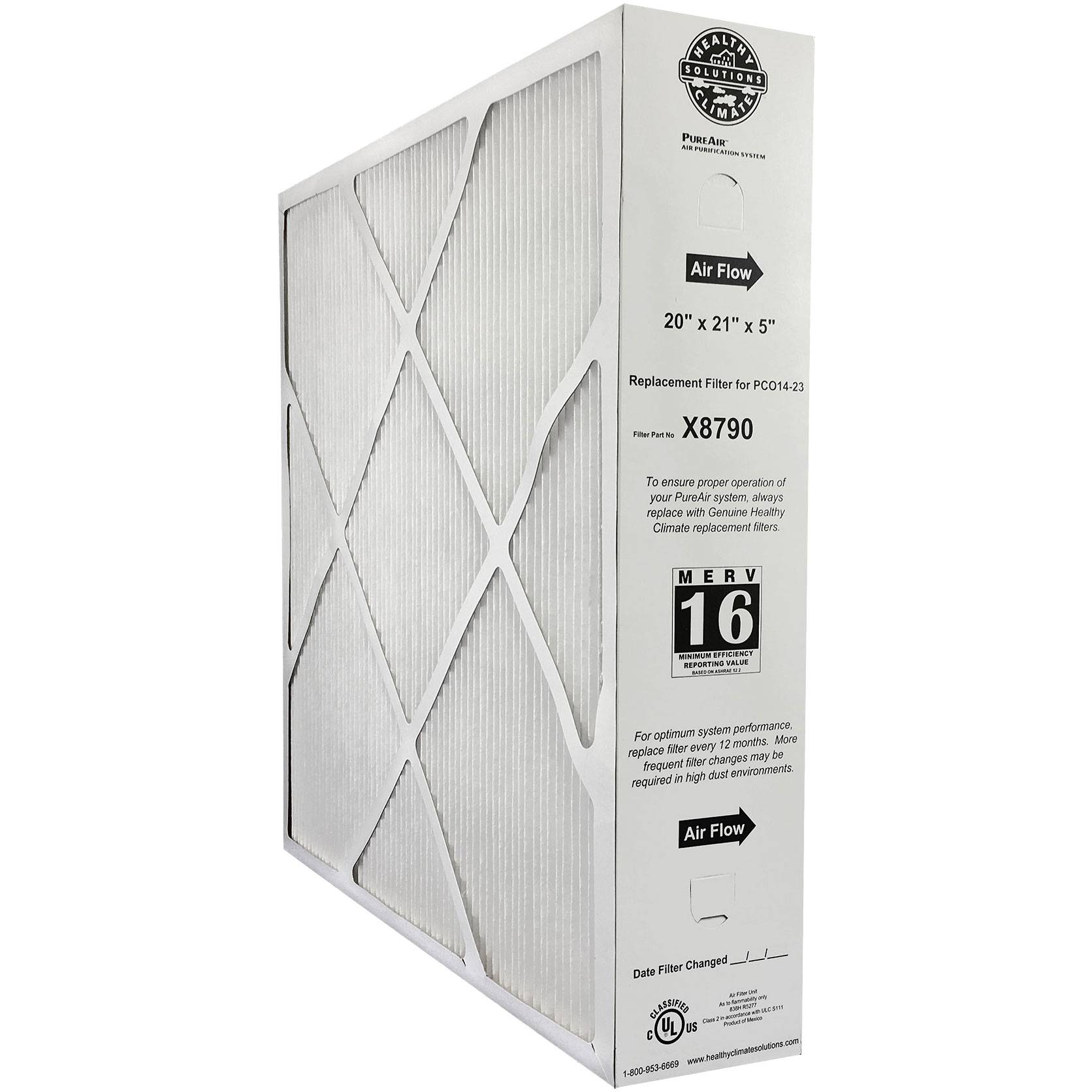 Lennox X8790 PCO14-23 MERV 16 Air Filter Replacement
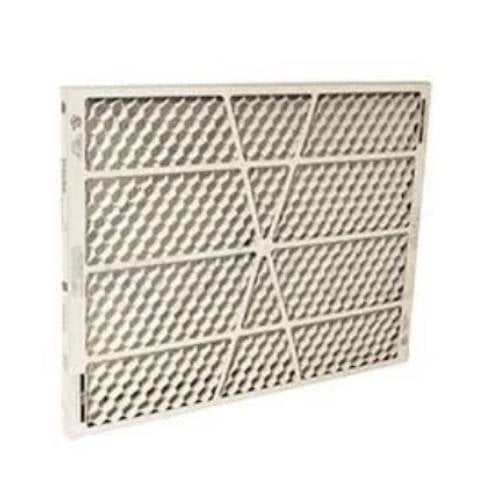 Lennox X8793 Replacement PureAir Metal Mesh Insert for PCO14-23
 Lennox X8794 Genuine UV Lamp for Model PCO14-23 PCO16-28 PCO20-28
 BioStrike CFF Ceiling Fan Air Filter
 1" MERV 13 Furnace & AC Air Filter by Filters Fast® - 6-Pack
The Lennox X8797 Healthy Climate PureAir Annual Maintenance Kit is an indoor air quality maintenance kit designed to help keep your Lennox PCO14-23 Air Purification System operating effectively. To keep this unit running cleanly and efficiently, annual maintenance is recommended.
Key Benefits:
- Complete annual maintenance kit includes the major replacement components needed to maintain the PCO14-23 system in one package.
- The included X8790 pleated filter provides high-efficiency MERV 16 filtration.
- Designed to address particles such as pollen, dust and pet dander, as well as bioaerosols/microorganisms and odors/chemical vapors.
Specifications:
- Brand: Lennox
- Part Number: X8797
- Pack Size: 1
Includes:
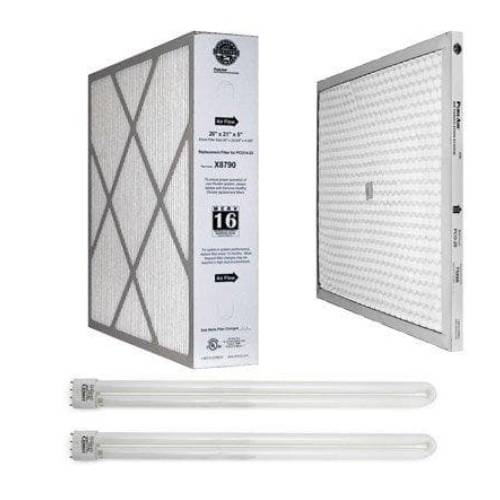
- (1) Lennox X8790 20x21x5 MERV 16 Furnace & AC Air Filter
- (1) Lennox X8793 Healthy Climate PureAir Metal Mesh Insert
- (2) Lennox X8794 Genuine UV Lamps
Compatible Parts:
The Lennox X8797 Healthy Climate PureAir Annual Maintenance Kit is the correct replacement for the following part numbers:
- DLXX8797
- No results for {X}
Compatible Models:
The Lennox X8797 Healthy Climate PureAir Annual Maintenance Kit is correct replacement for the following model numbers:
- Lennox PCO14-23 Air Purification System
- No results for {X}
Frequently Asked Questions:
How do you install the Lennox X8797?
Remove Protective Wrapping
- Remove the PCO access door.
- Slide out the control box assembly.
- Remove protective cardboard sleeves from lamp/reflector assembly.
- Ensure lamp is properly inserted in the lamp socket.
- If necessary, reseat lamp by gently engaging the pins in the socket and pivoting the lamp to engage the two securing clips mounted on the reflector.
- Gently pull on lamp to ensure that lamp securing clips are engaged.
- Repeat steps 3 through 6 to check installation for second lamp.
- Slide vacuum−packaged metal insert out of cabinet.
- Carefully remove insert from packaging.
- Keep metal insert and filter in a safe place to ensure these components remain clean until the cabinet installation is completed.
Installing PCO Cabinet
- Oil on metal surfaces may cause odors. Use mild soap and water solution to wash all new duct and transition surfaces.
- Use the air flow directional label on the inside of the PCO cabinet to orient the PCO unit. Properly position the PCO cabinet next to the return air opening of the air handling unit. Use sheet metal screws (1" maximum length), rivets or other appropriate fasteners to secure PCO cabinet to the return air side of the air handling unit.
- Use sheet metal screws (1" maximum length) to fasten the return air duct to the other side of the PCO cabinet.
- Use aluminum foil tape or water−based mastic to seal all joints between the PCO cabinet, air handler and duct.
- In high humidity applications, wrap PCO cabinet with 2" foil−faced insulation (foil on the outside) to prevent condensation.
Installing Filter and Metal Insert
- Slide the pleated filter into the rails on the air inlet side of the PCO cabinet. Verify proper air flow direction.
- Slide the metal insert into rails on the air outlet side of the PCO cabinet. Slide the control box assembly back into the cabinet.
- Securely fasten the access door.
- Plug one end of the provided power cord into the receptacle on the PCO cabinet and the other end into a power receptacle.
- Look through the view port in the access door to check to the lamps for proper illumination.
- NOTE − On initial start−up, the lamps may not reach full illumination for several minutes.
Can I replace just the filter, PCO insert, or UV lamps instead of buying the entire Lennox X8797 kit?
Yes. The components included in the Lennox X8797 are available individually, including the X8790 MERV 16 filter, X8793 PCO metal insert, and X8794 UVA lamps.
How do I know when the PCO insert needs to be replaced?
A significant decrease in odor-removal performance can indicate that the insert needs replacement, and more frequent replacement may be appropriate in homes with heavier contaminant loads.
Can the Lennox X8793 PCO metal insert be washed or cleaned?
The metal insert should not be washed because washing it can destroy the titanium dioxide catalyst coating on the insert. If the insert requires replacement, use a new Lennox X8793 insert rather than attempting to clean it with water.
How do I know when the Lennox X8794 UV lamps need to be replaced?
The Lennox X8794 UVA lamps are intended to be replaced as part of routine system maintenance. During maintenance, the lamps can also be checked through the system's viewing area to verify that they illuminate properly. If a lamp does not illuminate after checking its connection, it may need replacement.
Ask Our Product Experts
Product Availability
Please provide your e-mail address below to receive a notification when this product becomes available:
XThanks! We'll send you a notification when this product is available!